Pages

Showing posts with label Software Reviews. Show all posts

Dropbox Free Online Storage 2011 Review

Dropbox is a new Free online storage service that lets you upload your photos, videos, documents from anywhere and share them at ease. Dropbox is a bit different from the various file sharing services. Dropbox is compatible with Microsoft Windows, Apple MAC, Linux, Android, Apple iPad, Apple iPhone, and Blackberry. It offers syncing features to link up with any compatible products and hence provides the ease of working even when the user is offline. Dropbox lets you manually set your bandwidth limits to prevent data transfer inefficiency due to multiple connections plugging in at the same time.

Dropbox online storage for apple ipad, apple iphone, blackberry and android

Point of Interest: Dropbox offers 2GB of free Dropbox storage but if you are running a bit of shortage in space then you can easily avail Dropbox subscriptions which is available upto 100GB.

The Unique Selling Proposition(USP) of Dropbox is that alongwith its secure file management, Dropbox also allows collaboration with multiple team partners and members on a single project. When this feature is enabled, then Dropbox automatically synchronizes with the other team members’ work edits and presents a continuously updated working structure.

Dropbox is also integrated into Dropbox Mobile. Dropbox Mobile is an app for iPad, iPhone, Android and BlackBerry mobile handsets. It features easy navigation your online files, edit them while you are on the move, and easily upload and share with your Friends, and, Family members.

Dropbox Safety includes AES-256 encryption, transmission over encrypted SSL channels. It also keeps full one-month history of the user’s work.

So if you are looking for some online secured storage then I suggest you use Dropbox.

Read more

Download Snow Transformation Pack


Do you like the look and feel of MAC OSX, but don’t want to switch from Windows? Then give the all new Snow Transformation Pack a try! The Snow Transformation Pack (STP) for Windows Vista and Windows 7. It is more than just a theme; it completely changes the look and feel of Windows, including the welcome screen, icons, wallpaper, sounds, dock and overall visual style. While the changes are complete, it is also reversible. You can also revert to the classic Windows appearance and style by simply uninstalling the pack from ‘Add/Remove Programs’.

You can get for free from winxsoft

Read more

Double Vision Software Review

Dear Readers,

Here we are at yet another AWESOME and useful application known as Double Vision! To say in short, this application is unique in its approach to ease of the business stress accumulating in-between shifts!

Coming to the Review point-of-view, this application allows you to watch YouTube, Metacafe or surf the Internet while you combat the HEAVY WORK-PRESSURE load! The secret behind this development comes from using Internet Explorer and innovation turning it an online media browser that comes with a feature of going transparent to work from inside "real work", standby applications.

Well, after reading the above you might even think how is to use Double Vision?

Double Vision Software Review
The cool thing is you can actually input data in those spreadsheets and documents all while watching your favorite show or checking out a website. Isn't that cool?

And, that's NOT all! Thinking about extra-quick hiding options?? Look no further!
This baby can hide herself and leave no absolute trace when you press Ctrl+Esc

Double Vision Software Review
Great Features include(that you will most like) is to enable is muting on the Quick Hide key combo. And, of course Double Vision also makes a great tool for stealthily surfing the web while "working".
So, this software is particularly useful for all those workaholics out there who also needs some recreation in between their work.

With Luck and Success to Double Vision, I conclude this Review.

This is the rating(out of 5) I would give to this software:-

• User friendly ___-:
• Appearance ___--:
• Ease of Use ____-:
• Value For Money -:
• Overall Rating __-:

Read more

NetBeans IDE 6.7.1 Review

Integration with the Kenai open-source collaboration site along with many new features makes the latest version of NetBeans IDE seem like a full upgradeNetBeans IDE 6.7.1
The NetBeans IDE is an award-winning integrated development environment available for Windows, Mac, Linux, and Solaris. The NetBeans project consists of an open-source IDE and an application platform that enable developers to rapidly create web, enterprise, desktop, and mobile applications using the Java platform, as well as JavaFX, PHP, JavaScript and Ajax, Ruby and Ruby on Rails, Groovy and Grails, and C/C++.
The latest version of the NetBeans IDE (integrated development environment) is a 0.7.1 release, but it includes so many new features it could rightfully receive a full version increment. What may be the biggest improvement is full integration with Project Kenai, a site Sun built for open-source collaboration, and that’s what this review will focus on.
The Project Kenai site itself includes full support for source code repositories. This enables developers to connect via any of several source code version control systems, such as subversion. Through the site you can create projects, host documents, track issues, and even create forums and chat rooms for your projects.
The ease with which NetBeans' IDE 6.7.1 integration with Project Kenai allows developers to collaborate with each other, on Kenai, right from within the NetBeans IDE and not through a Web browser inside the IDE; plus the Project Kenai site itself which includes full support for source code repositories, enabling developers to connect through any of several source code version control systems, make this version of the NetBeans IDE a significant improvement.

As the summery says, NetBeans IDE 6.7.1 is an excellent open source Software that allows users or rather developers to collaborate with each other with ease and this ease is something we have come to be accustomed to from Sun Microsystems. This software allows the developers to any of the source code version control system which adds so much value to the software.

This is the rating(out of 5) I would give to this software:-

• User friendly ___-:
• Appearance ___--:
• Ease of Use ____-:
• Value For Money -:
• Overall Rating __-:

This Software Review has been prepared by our Reviewer, Shamik.

Read more

SnapIt Screen Capture Review

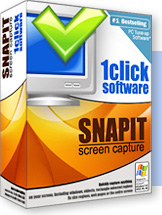
SnapIt Screen Capture
Snap-It is a full-featured screen capturing utility. Snap-It features the ability to scroll and capture long Web pages, as well as capture Web pages as visual bookmarks with descriptions. It includes a thumbnail viewer with three possible sizes, a versatile special-effects editor, and the ability to instantly attach any captured image to your e-mail messages. You can capture BMP, GIF, JPG, PCX, PNG, TGA, and TIF images and convert between them, as well as copy any image to the Clipboard. You can paste any captured image to the cursor in Microsoft Word (97 or 2000) with a single mouse click. Snap-It also enables you to print your full-sized images as well as thumbnails. The program also runs as a convenient icon in the System Tray area of the Windows Taskbar

Minimal system requirements:
Microsoft Windows 95/98/ME/NT/XP/2000/2003/Vista
installed and configured on your system.
Microsoft Framework 2.0

As the Summary of the software says, this software is excellent software for the corporate as well as the common masses as it deals with an important part of our everyday computing. Every now and then we find the need to save the current screen for reference in a future time period but often fail to do so as it is a complicated process trying to do it manually using “Paint”:. On the other hand this software eases that process by simply reducing it to a click and drag system where we can choose exactly how much of the screen we want as an image file. So in a way this software also eases the editing process.

To Download the Software visit SnapIt Screen Capture.

This is the rating(out of 5) I would give to this software:-

• User friendly ___-:
• Appearance ___--:
• Ease of Use ____-:
• Value For Money -:
• Overall Rating __-:

This Software Review has been prepared by our Reviewer, Shamik.

Read more